Written by

Battlefield REDSEC Guide Team

Hardware tested across multiple PC configurations

📅 Last Updated: December 20, 2025 | ✅ Verified for Season 1

Can I Run Battlefield REDSEC?

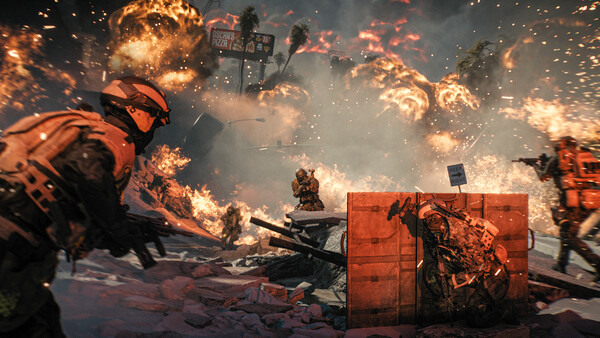
Battlefield REDSEC is a free-to-play Battle Royale game that requires a moderately powerful PC to run smoothly. The game features large-scale 100-player battles with destructible environments, which demands decent hardware. Below you'll find the complete Battlefield REDSEC system requirements including minimum specs, recommended specs, and optimization tips.

💡 Quick Answer: Can Your PC Run Battlefield REDSEC?

  • Minimum: GTX 1050 Ti / RX 560, Intel i5-6600K / Ryzen 5 1600, 8GB RAM
  • Recommended: RTX 2060 / RX 5600 XT, Intel i7-9700K / Ryzen 5 3600, 16GB RAM
  • Storage: ~50GB SSD (SSD strongly recommended)
  • OS: Windows 10 64-bit or newer

Battlefield REDSEC Minimum Requirements

These are the minimum system requirements to run Battlefield REDSEC. With these specs, you can expect 30-60 FPS on Low settings at 1080p resolution.

Component Minimum Requirement
Operating System Windows 10 64-bit
Processor (CPU) Intel Core i5-6600K / AMD Ryzen 5 1600
Memory (RAM) 8 GB RAM
Graphics Card (GPU) NVIDIA GeForce GTX 1050 Ti / AMD Radeon RX 560 (4GB VRAM)
DirectX Version 12
Storage 50 GB available space (SSD recommended)
Network Broadband Internet connection

⚠️ Important Notes for Minimum Specs

  • Running on minimum specs may result in frame drops during intense battles
  • An SSD is strongly recommended to reduce loading times and texture pop-in
  • Close background applications to free up RAM
  • Consider lowering resolution to 900p for better performance

Battlefield REDSEC Ultra/4K Requirements

Want to play Battlefield REDSEC at 4K resolution with Ultra settings? Here's what you'll need for the ultimate visual experience.

Component Ultra/4K Requirement
Processor (CPU) Intel Core i9-12900K / AMD Ryzen 9 5900X
Memory (RAM) 32 GB RAM
Graphics Card (GPU) NVIDIA GeForce RTX 4070 Ti / AMD Radeon RX 7800 XT
Storage 50 GB NVMe SSD

Battlefield REDSEC Download Size & Storage

📥

Download Size

~45 GB

Initial download from Steam/EA App

💾

Installed Size

~50 GB

Space needed after installation

SSD Recommended

Yes

Faster loading, less texture pop-in

📦 Why SSD Matters for Battlefield REDSEC

While Battlefield REDSEC can run on an HDD, using an SSD provides significant benefits:

  • Faster Loading: Load into matches 2-3x faster than HDD
  • Less Texture Pop-in: Textures load smoothly during gameplay
  • Reduced Stuttering: Fewer micro-stutters when entering new areas
  • Competitive Advantage: Load in before other players

Frequently Asked Questions

Can I run Battlefield REDSEC on my PC?

If your PC meets the minimum requirements (GTX 1050 Ti, i5-6600K, 8GB RAM), you can run Battlefield REDSEC. For smooth 60 FPS gameplay, aim for the recommended specs (RTX 2060, i7-9700K, 16GB RAM). Check the tables above to compare your hardware.

What are the minimum requirements for Battlefield REDSEC?

The minimum Battlefield REDSEC requirements are: Windows 10 64-bit, Intel Core i5-6600K or AMD Ryzen 5 1600 CPU, 8GB RAM, NVIDIA GTX 1050 Ti or AMD RX 560 GPU with 4GB VRAM, and 50GB storage space. An SSD is strongly recommended.

Is Battlefield REDSEC free to play?

Yes! Battlefield REDSEC is completely free to play. You can download it on Steam or the EA App at no cost. The game has no pay-to-win mechanics - all purchases are cosmetic only.

How big is Battlefield REDSEC?

Battlefield REDSEC requires approximately 50GB of storage space after installation. The initial download is around 45GB. We recommend installing on an SSD for the best performance and faster loading times.

Can I play Battlefield REDSEC on a laptop?

Yes, you can play Battlefield REDSEC on a gaming laptop that meets the minimum requirements. Look for laptops with at least a GTX 1650 or better GPU, 8GB RAM, and an SSD. Gaming laptops with RTX 3060 or better will provide a smooth experience.

Why is Battlefield REDSEC running slow on my PC?

Common causes for poor performance include: outdated GPU drivers, running on HDD instead of SSD, background applications using RAM, high graphics settings, or not meeting minimum requirements. Check our Best Settings Guide for optimization tips.